 View full image ↗
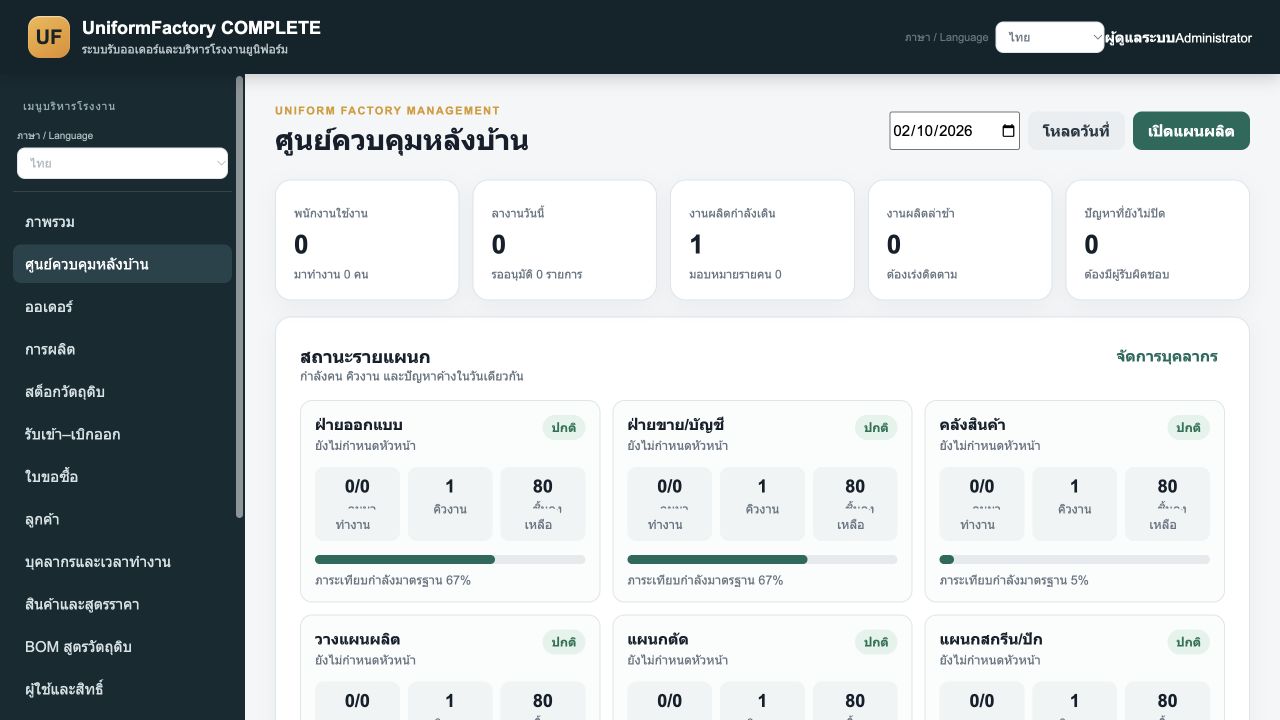
SCREEN 01
Back office control center
Bring departmental jobs, progress, deadlines and issues together so managers can review production queues in one workspace.
Garment manufacturing and contract production management for corporate clothing, uniforms, sportswear and custom orders. Connect customer designs, colours, sizes, printing or embroidery, materials, production, quality control and delivery.
Inside the application · Full image ↗Manage corporate clothing, uniforms, sportswear and custom garment orders. Keep each customer’s garment design, colours, sizes, quantities and printing or embroidery requirements together for production and quality control before delivery.
Organisation names and logos on garments belong to the commissioning customers. Sylvester Garment ERP is the factory’s production management software.
A distinct package for this product. Explore its features and actual application screens on this page.
Explore application screens ↓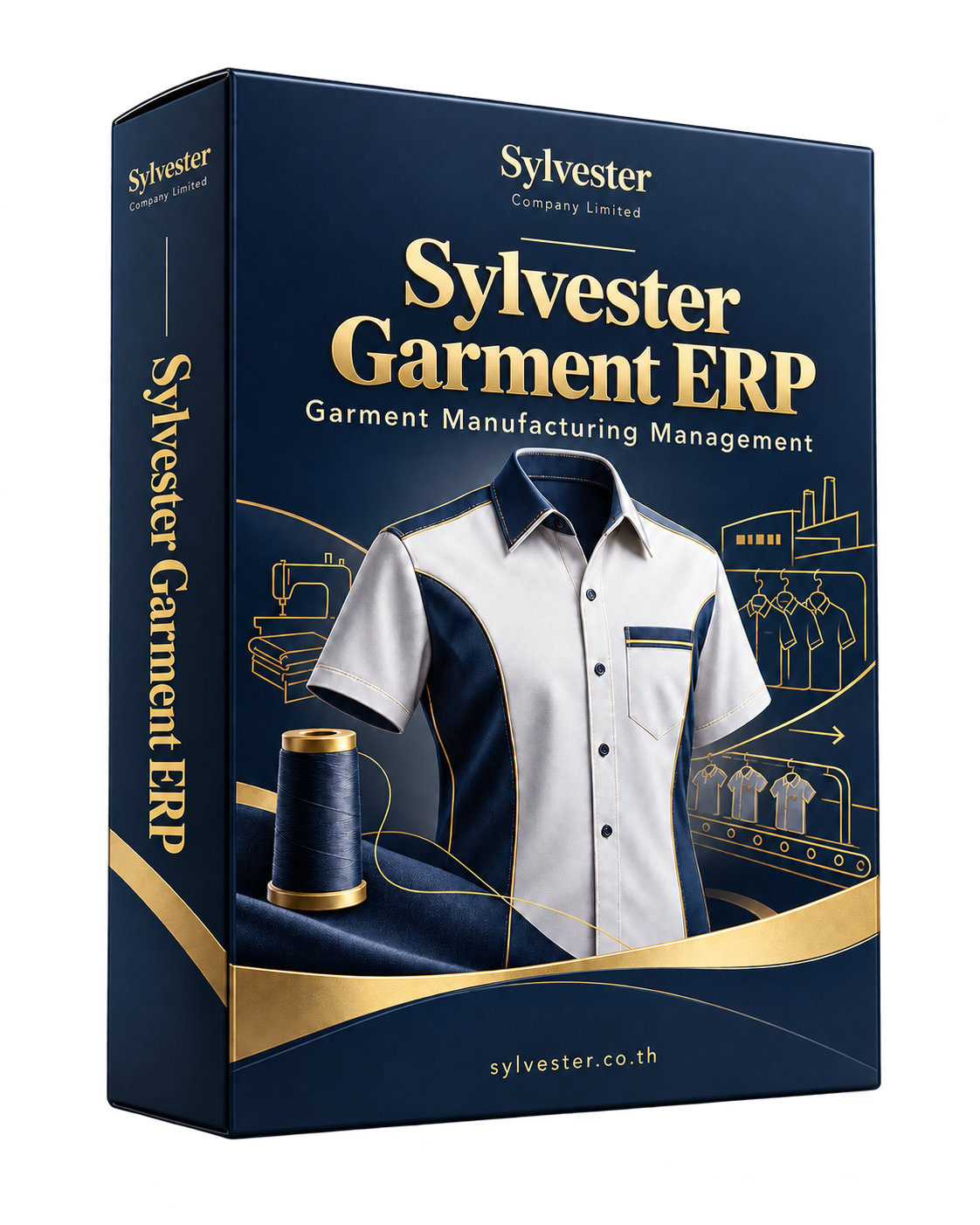
Large images with a description for every screen. Open any image to inspect it at full size.
Review pricing, product details, delivery dates and task queues from order intake.
View full image ↗Bring departmental jobs, progress, deadlines and issues together so managers can review production queues in one workspace.
 View full image ↗
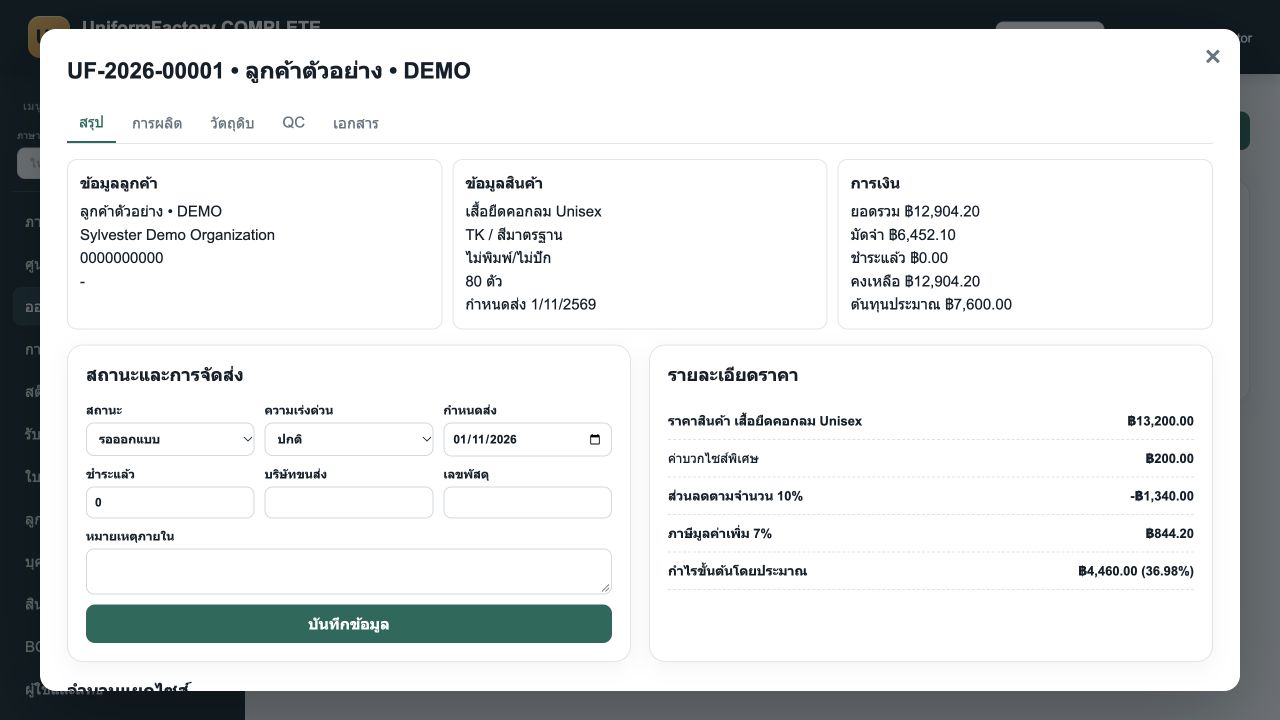
Review customer, product, fabric, decoration, size quantities, pricing, estimated cost, deadlines and status, with production, materials, QC and document tabs.
 View full image ↗
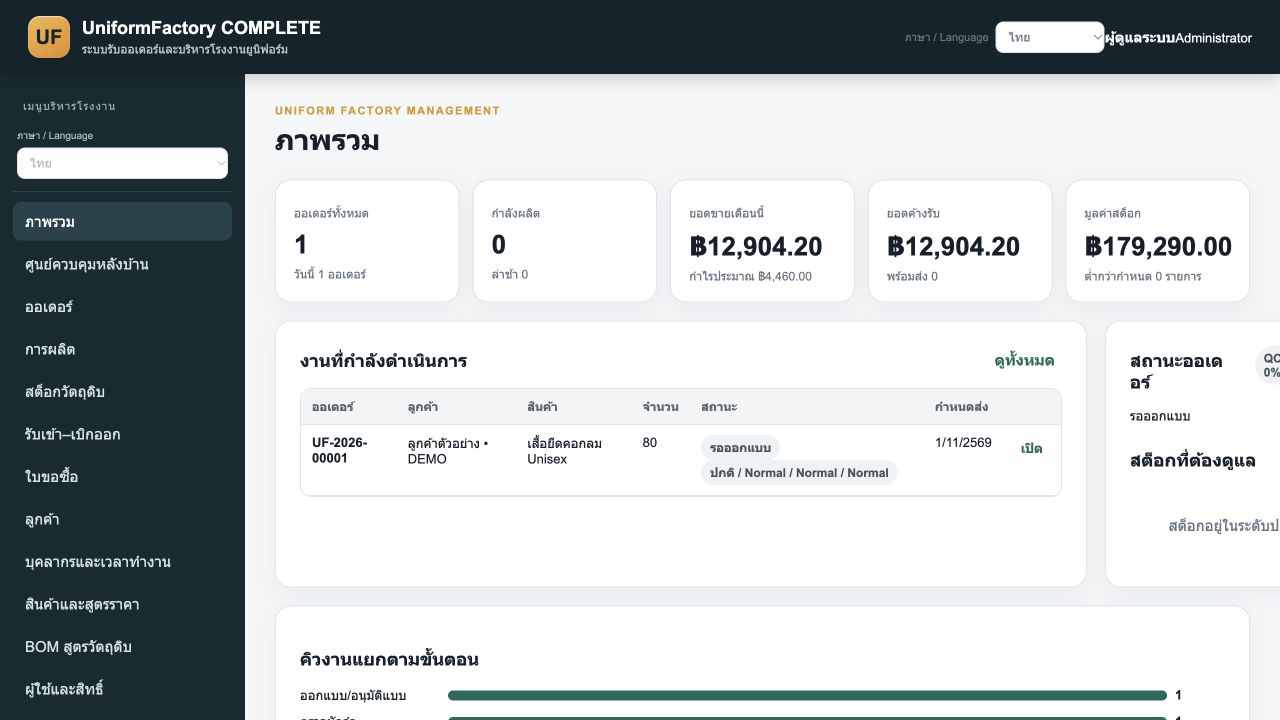
Review orders, production work, sales, receivables and inventory value alongside active jobs, statuses and stage-specific queues.
Track work quantities, responsibility, material recipes and quality checks.
 View full image ↗
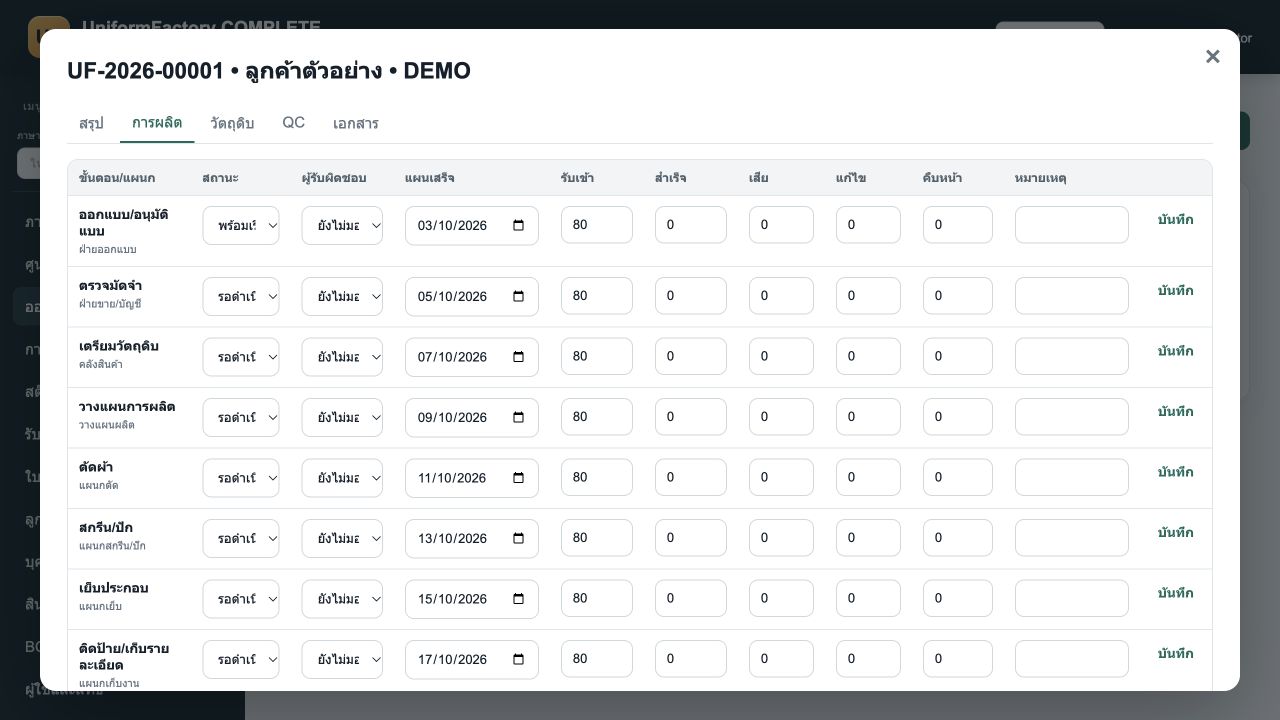
Production tasks run from design and materials through cutting, decoration, sewing, QC and dispatch, with status, assignee, good/reject quantities and notes.
 View full image ↗
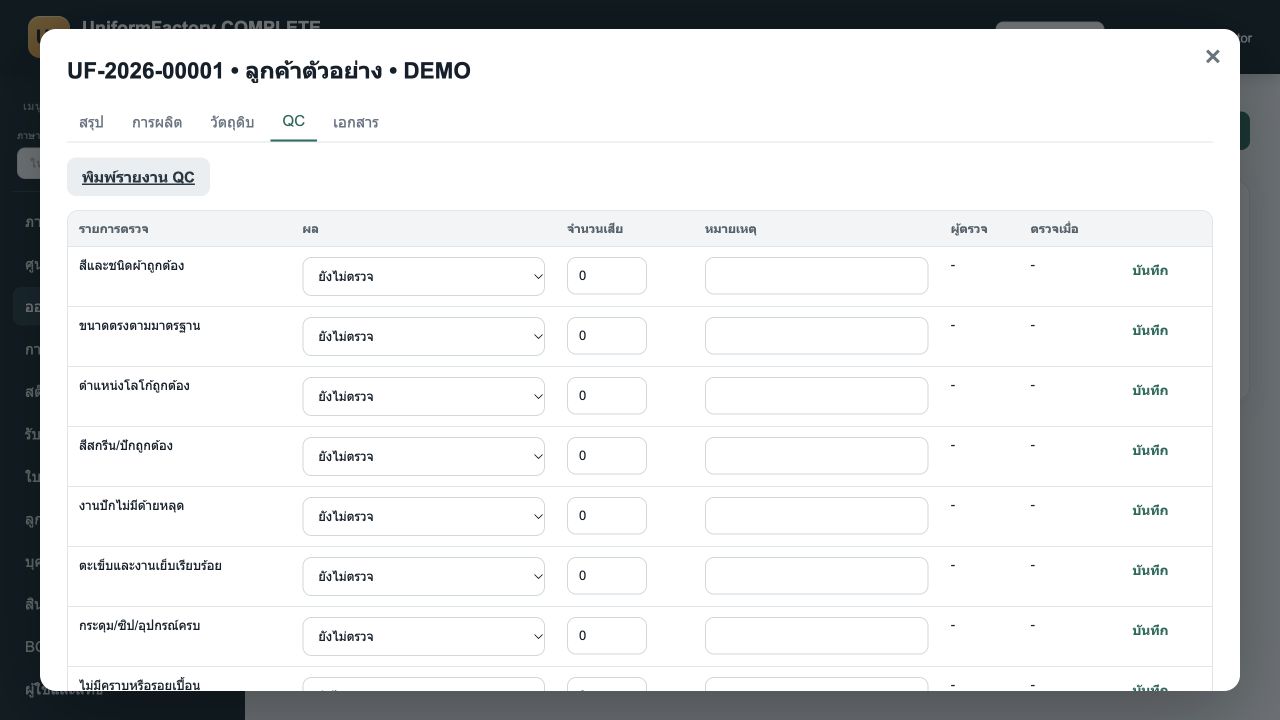
Check sizing, colour, logo, stitching, accessories, cleanliness, quantities and packaging, recording results, defects and notes.
 View full image ↗
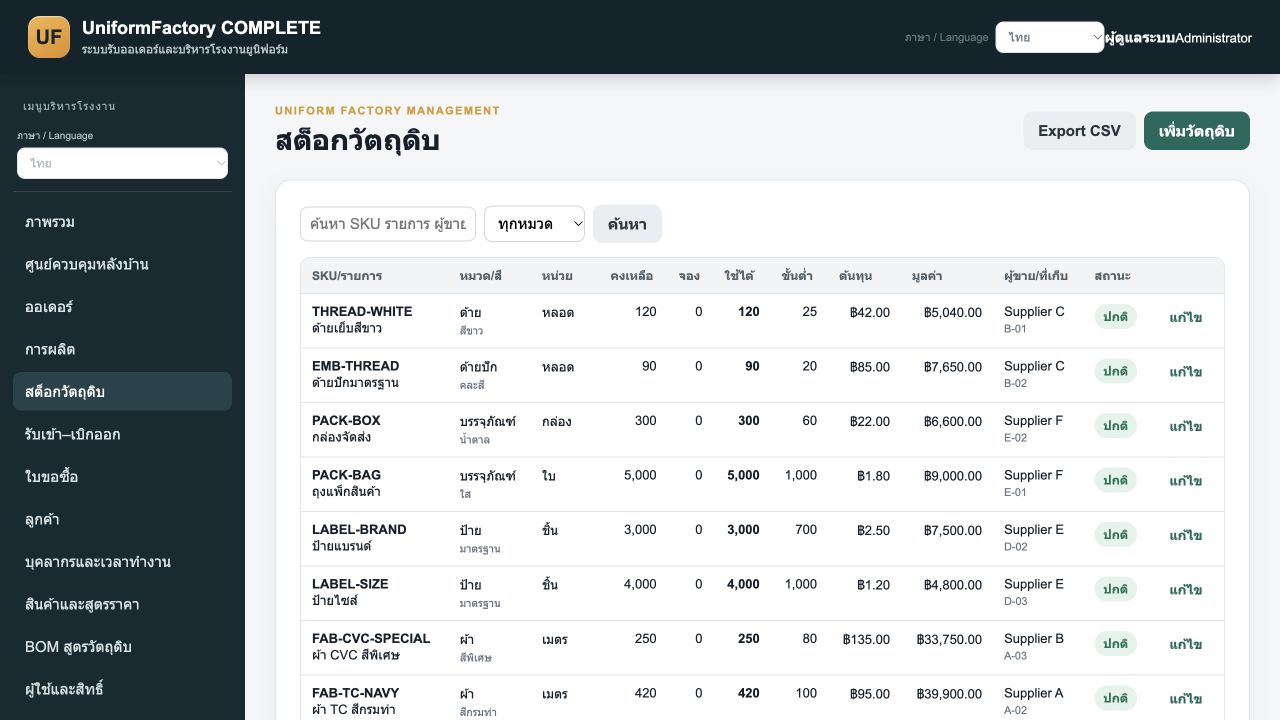
View available and reserved quantities, costs and reorder thresholds for fabrics, threads and supplies.
 View full image ↗
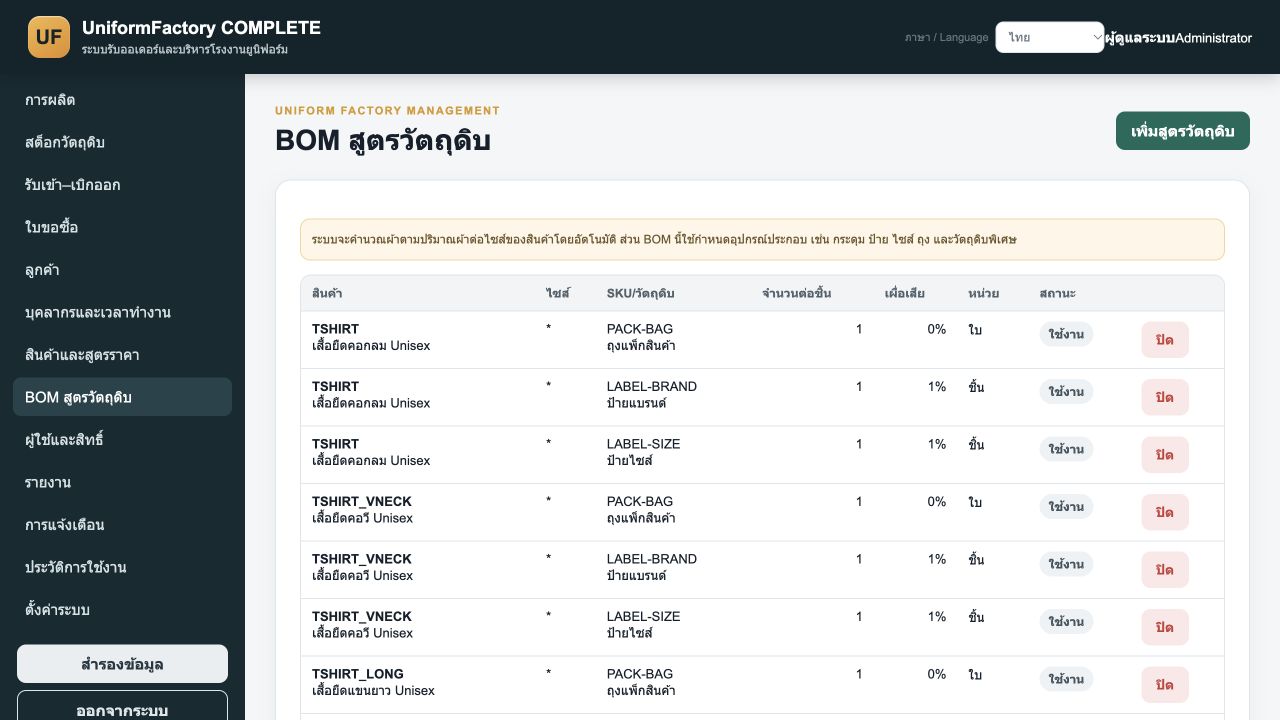
Link products and fabrics to materials with per-unit quantities, waste allowances and units for production planning.
 View full image ↗
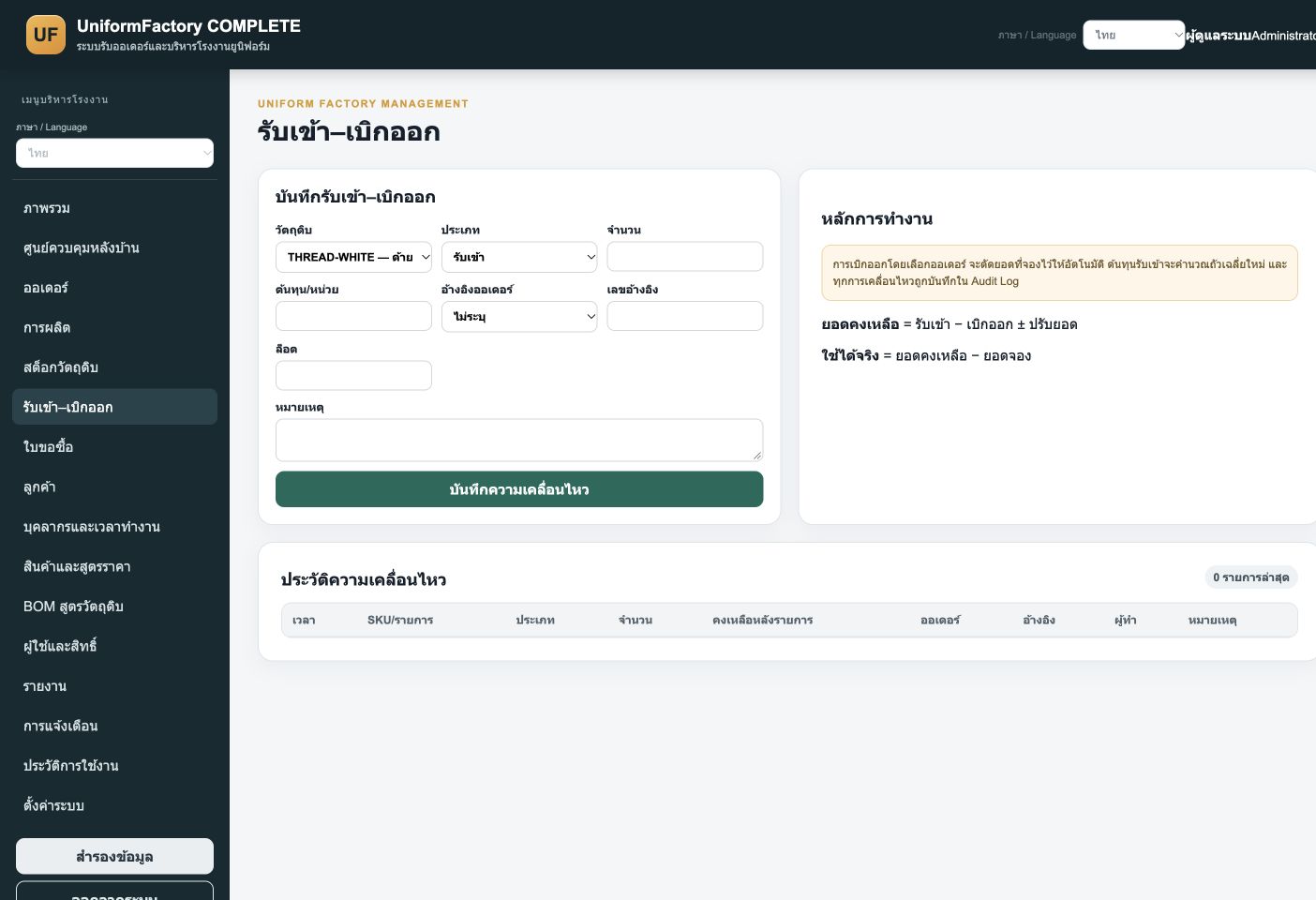
Select material, movement type, quantity, cost, order, lot and reference, with movement history. The interface explains reserved-stock reduction and weighted-average receipt costing.
 View full image ↗
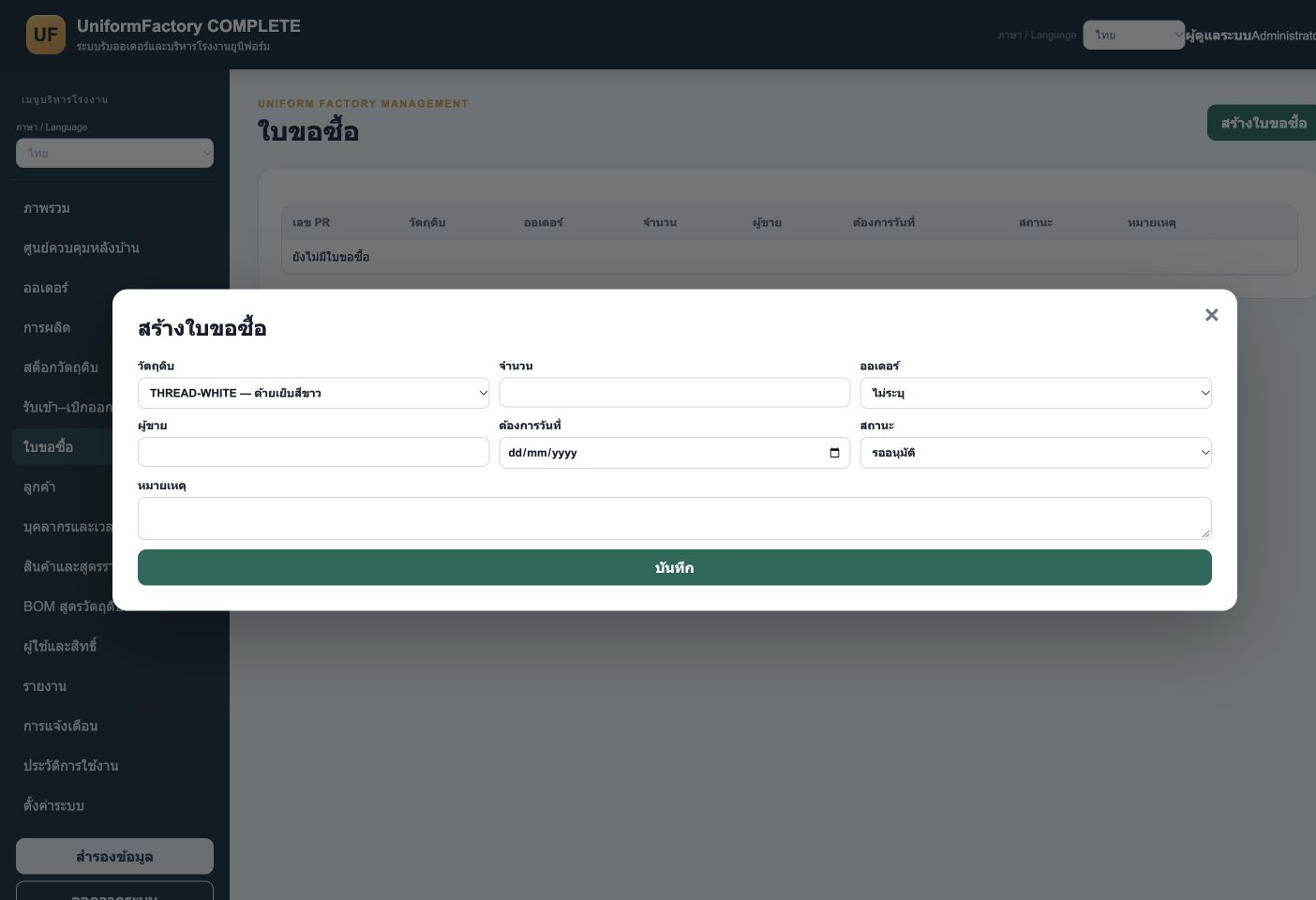
The form captures material, quantity, order, supplier, required date and statuses from pending approval to receipt. No purchase request was submitted for this capture.
 View full image ↗
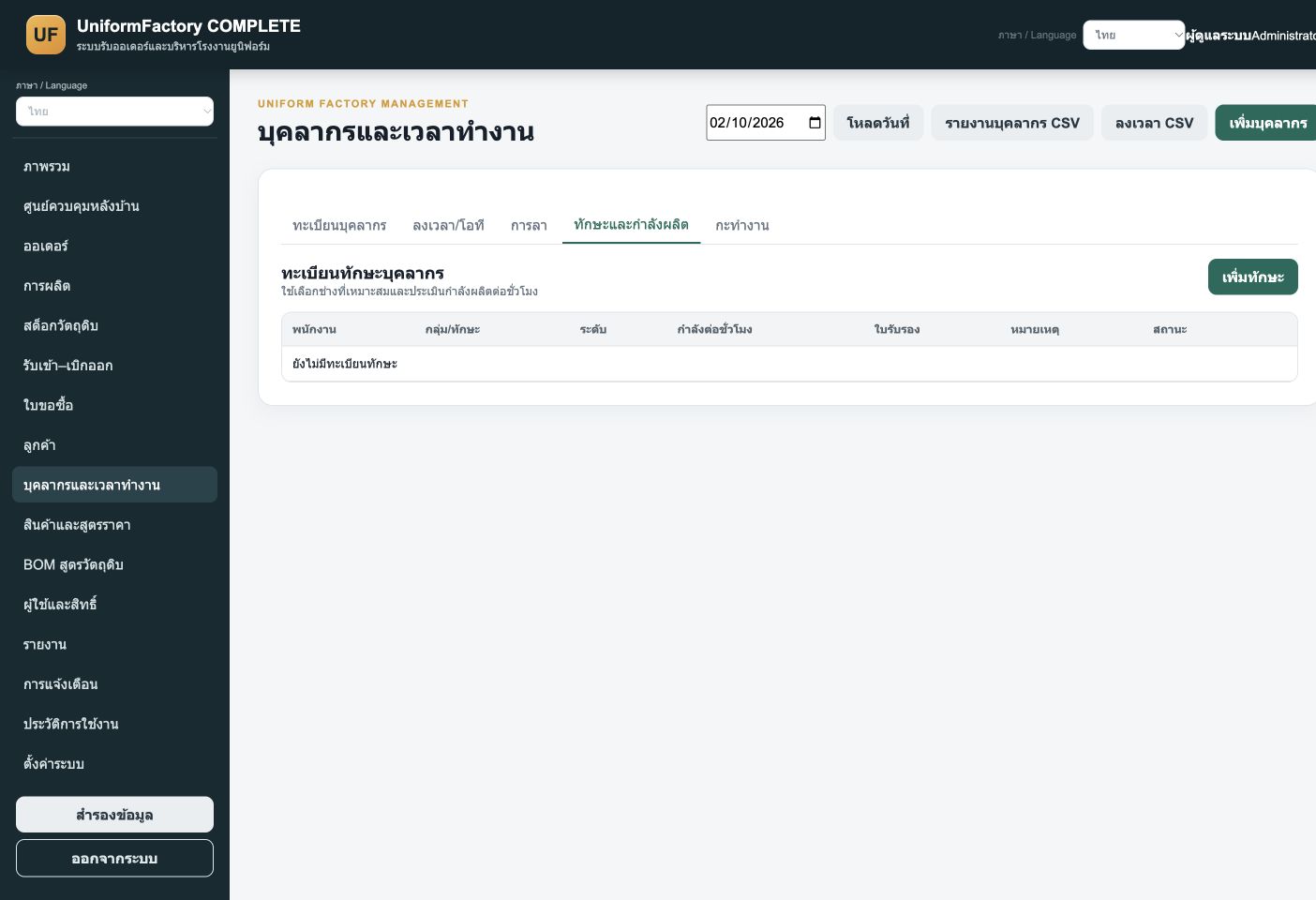
The skill register provides staff, skill group, level, hourly capacity, certification and status fields to support task assignment. The register is empty in this demo.
Separate pricing configuration from reporting to review costs and operations clearly.
 View full image ↗
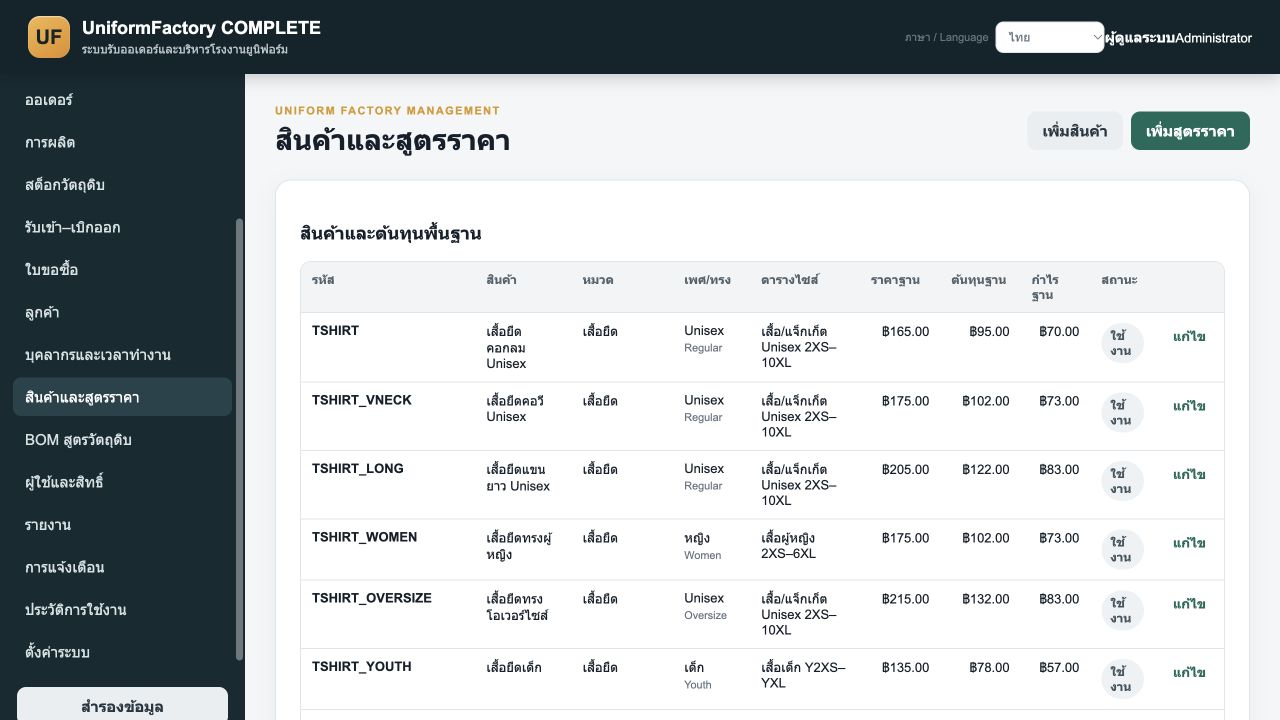
Configure products, fabrics, decoration and associated charges such as screen printing, DTF, embroidery and sublimation for option-based order calculation.
 View full image ↗
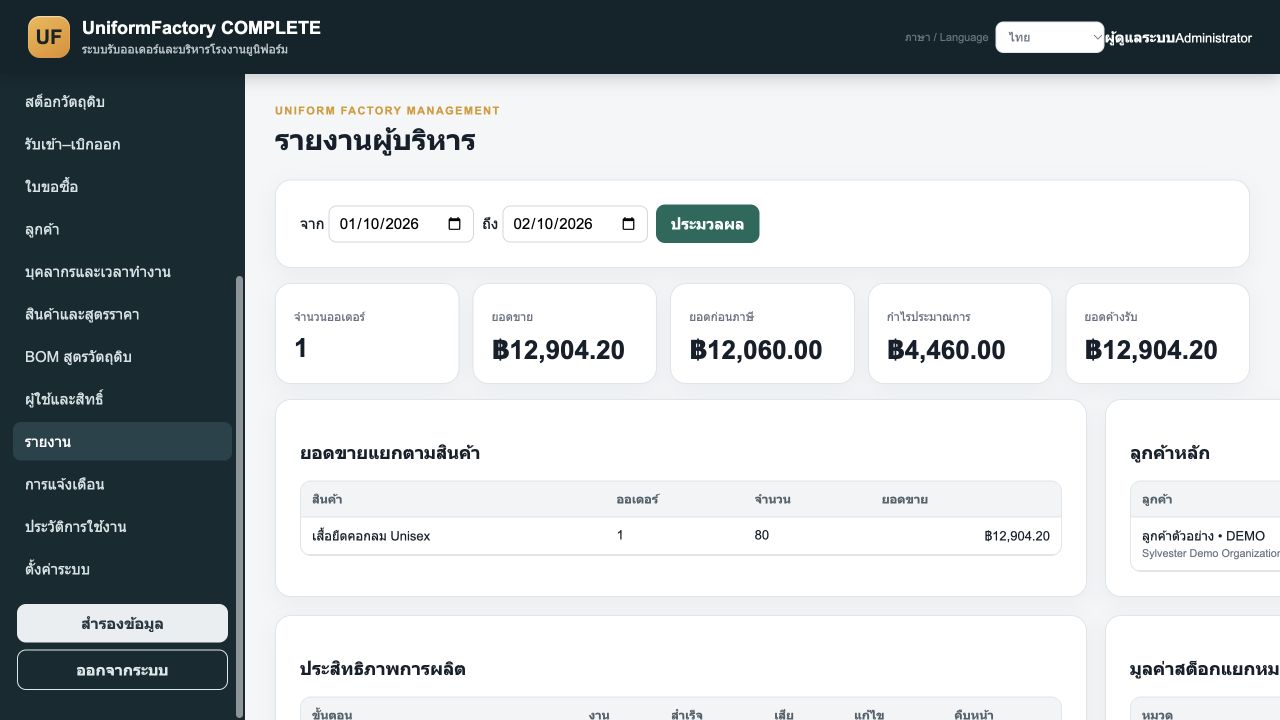
Summarize sales, collections, receivables, estimated profit, inventory value by category and staff performance, with time-period and export controls.
Captured from a Sylvester Garment ERP COMPLETE v2.3.0 test copy. An 80-piece demo order was created through the interface. Shown data and prices are examples, not real customer transactions.
Discuss users, equipment, existing data and required processes to determine the appropriate edition and installation.