
 View full image ↗
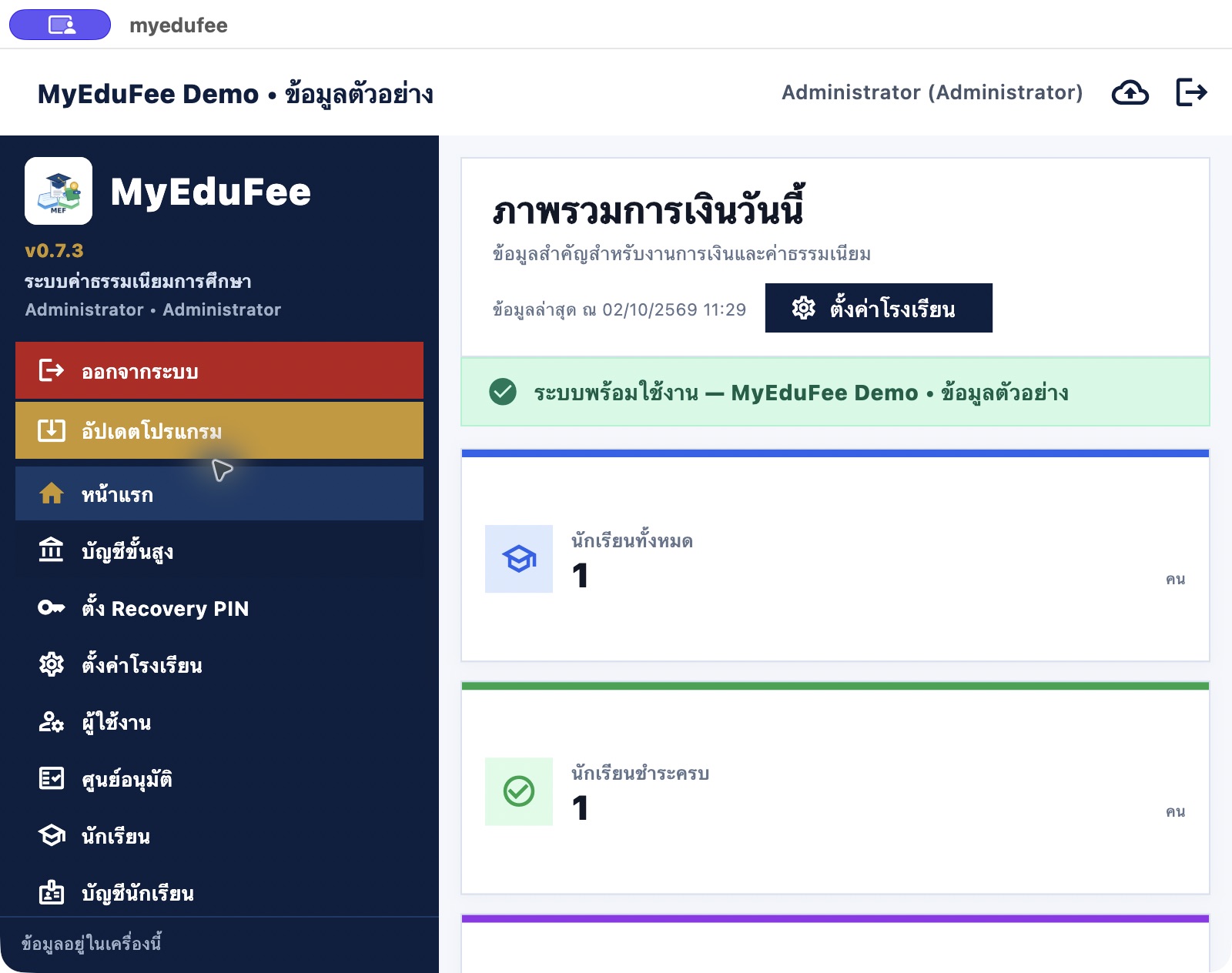
SCREEN 01
School finance overview
Review student totals, fully paid students, receipts and outstanding balances. This capture reflects a demo payment recorded through the application.
A workspace for student records, individual balances, fee invoices, payment records, receipts, reporting and advanced accounting tools.
Inside the application · Full image ↗A distinct package for this product. Explore its features and actual application screens on this page.
Explore application screens ↓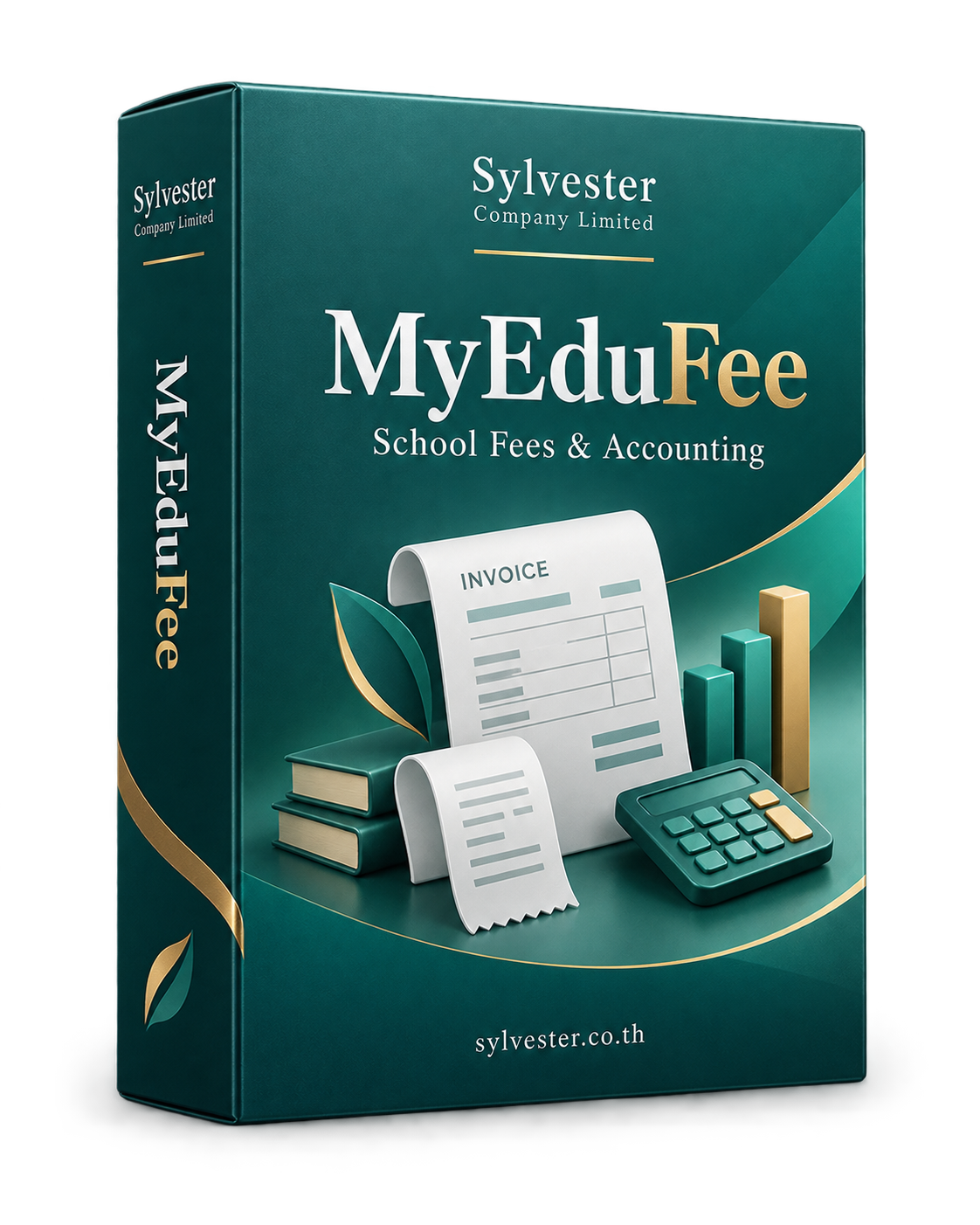
Large images with a description for every screen. Open any image to inspect it at full size.
Connect students, balances and invoices in a workflow staff can follow.
View full image ↗Review student totals, fully paid students, receipts and outstanding balances. This capture reflects a demo payment recorded through the application.
 View full image ↗
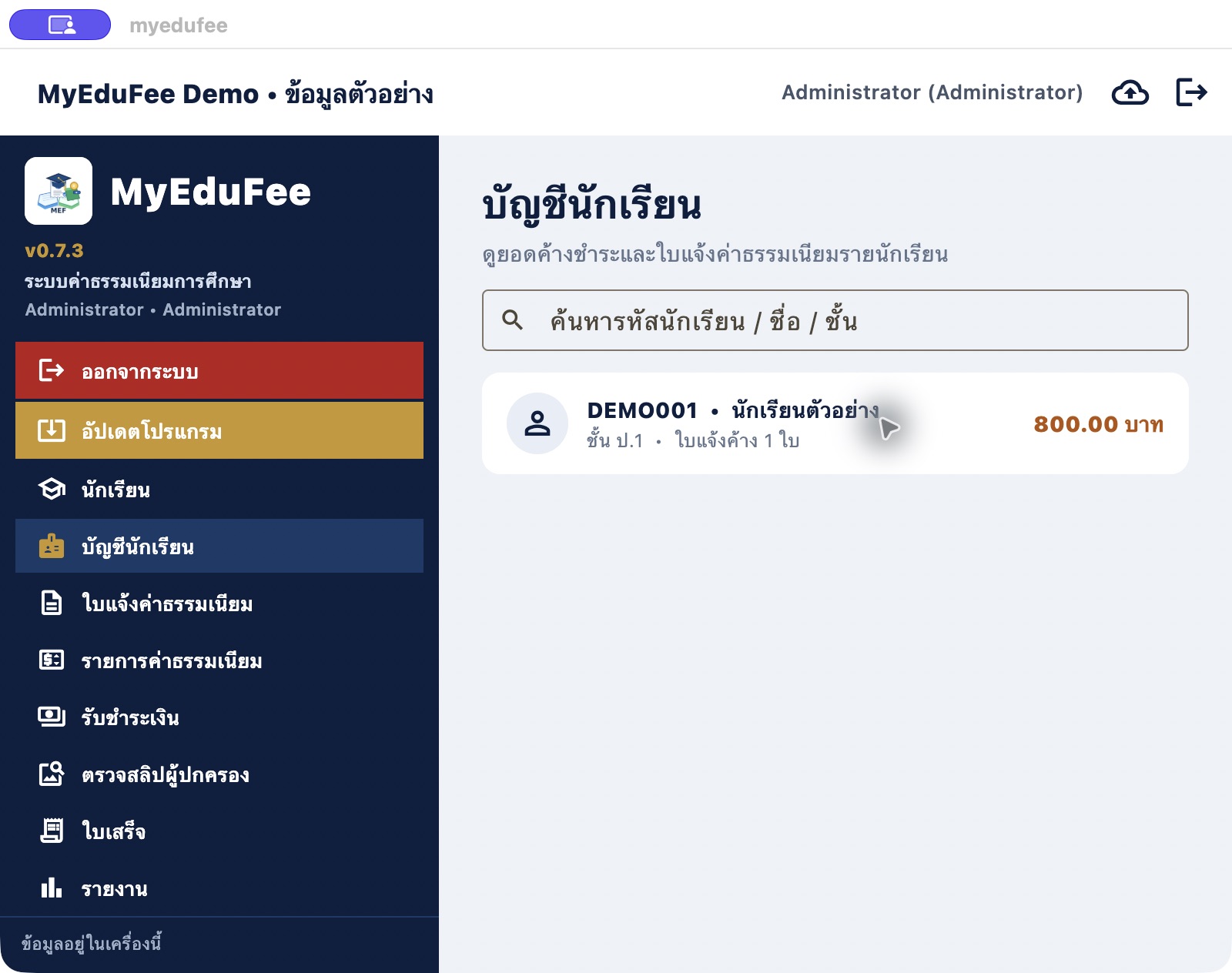
Search by student ID, name or class and review outstanding invoice counts and balances before recording payment.
 View full image ↗
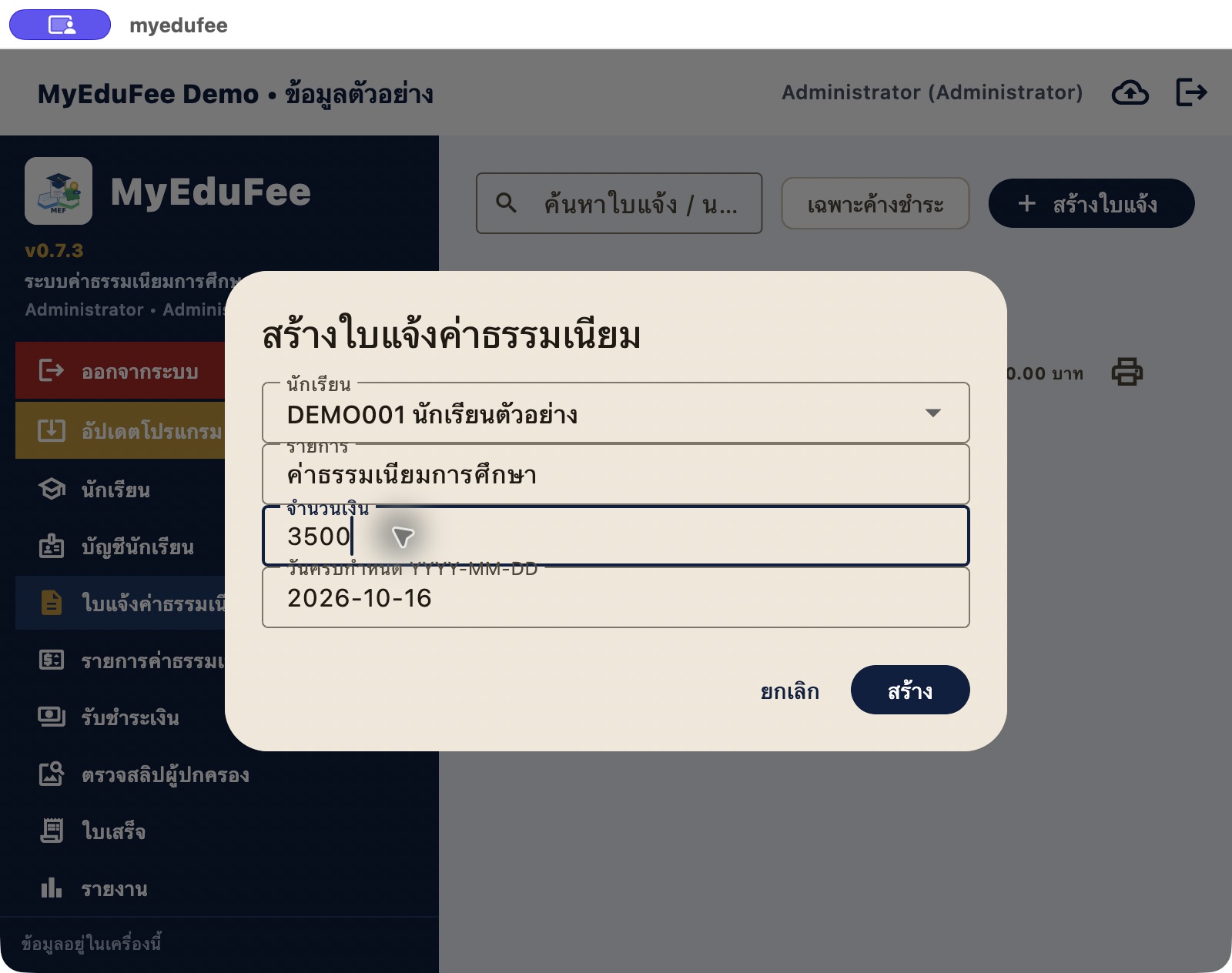
Choose the student and enter the fee description, amount and due date to create a student-linked invoice.
 View full image ↗
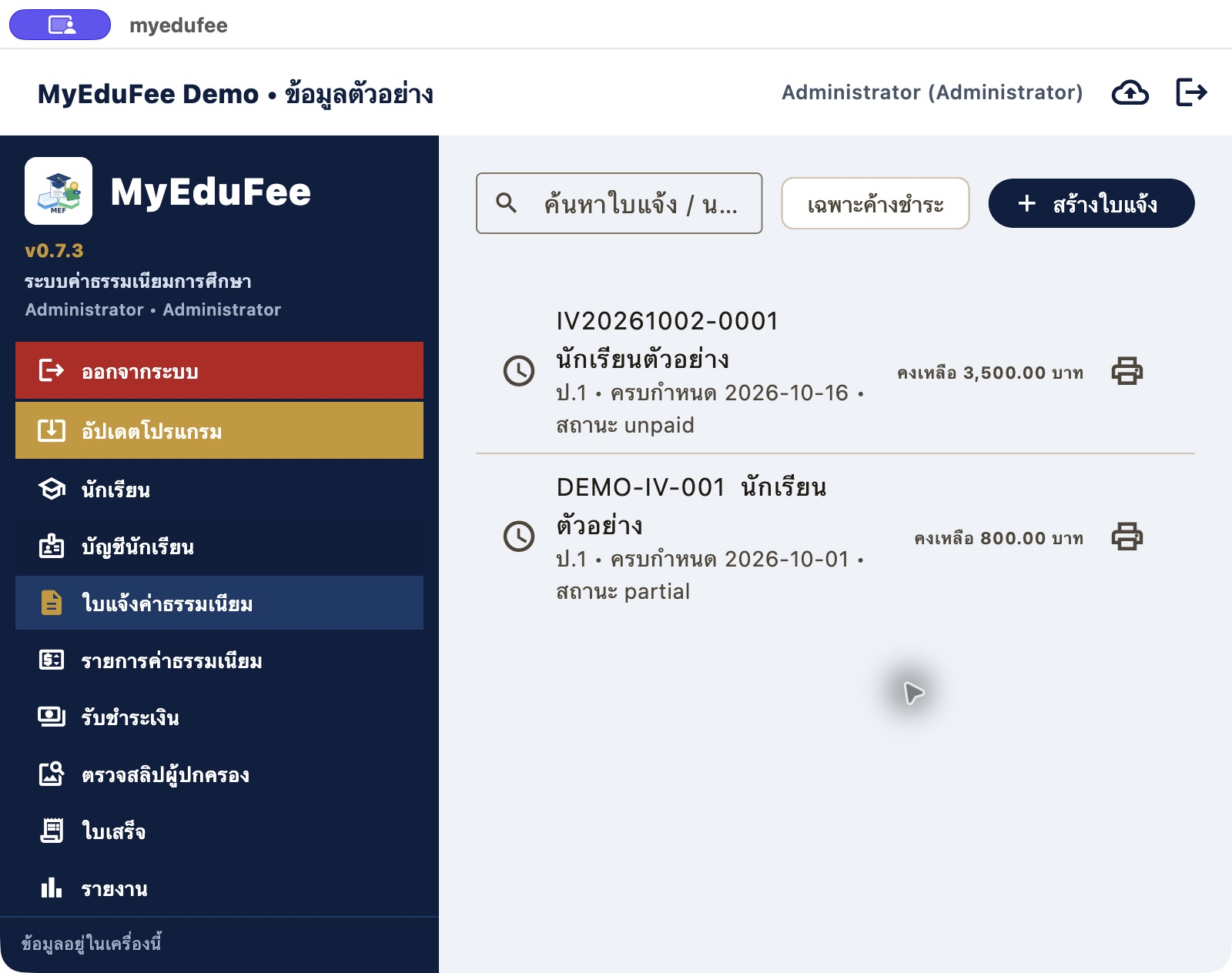
Invoice records show document number, student, class, due date, status and balance, with search and outstanding-only filtering.
 View full image ↗
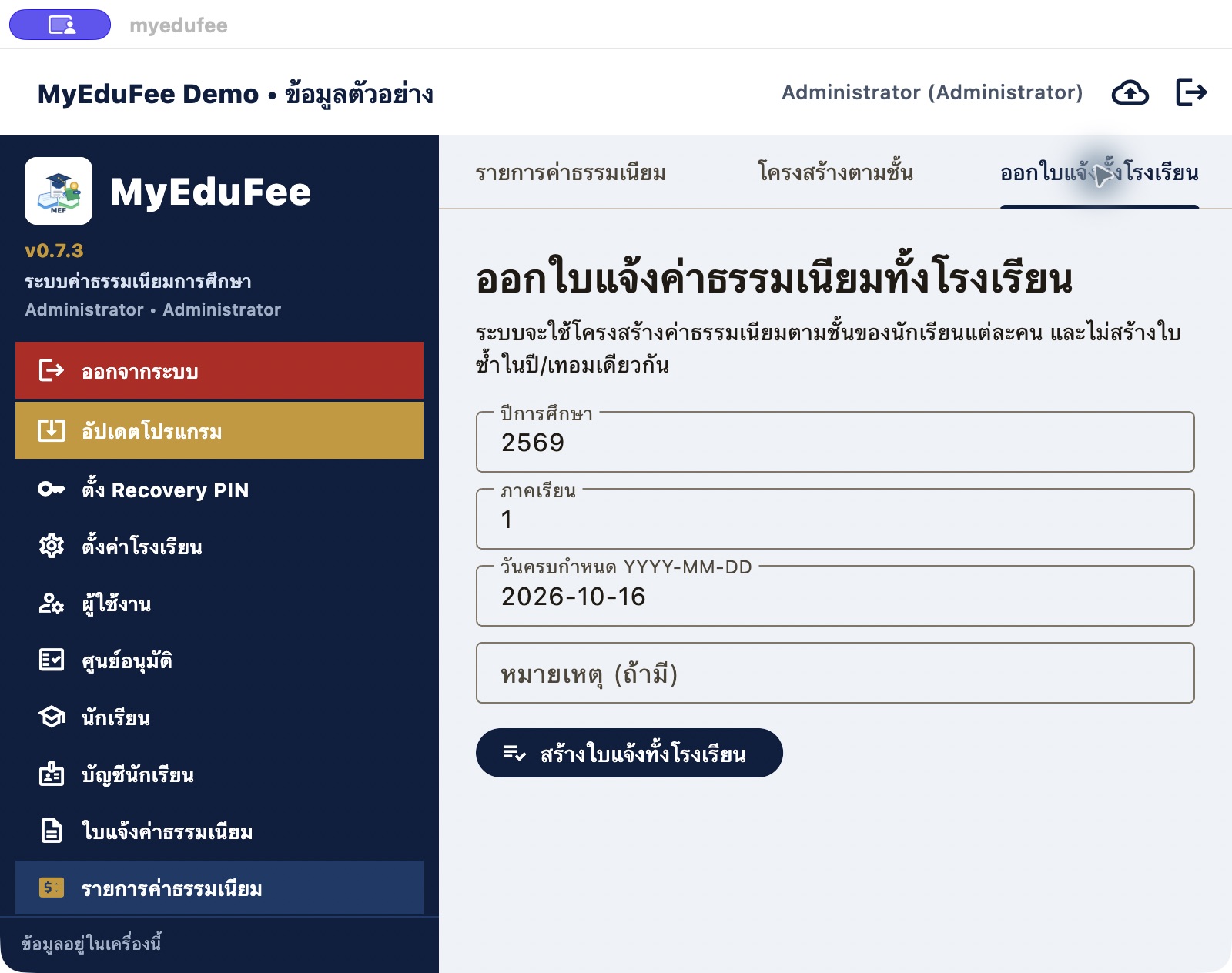
Set the academic year, term, due date and note for class-based fee invoicing. The interface states that duplicate invoices for the same year/term are prevented. This capture precedes batch creation.
Staff review selected invoices before recording payment and following receipts and reports.
 View full image ↗
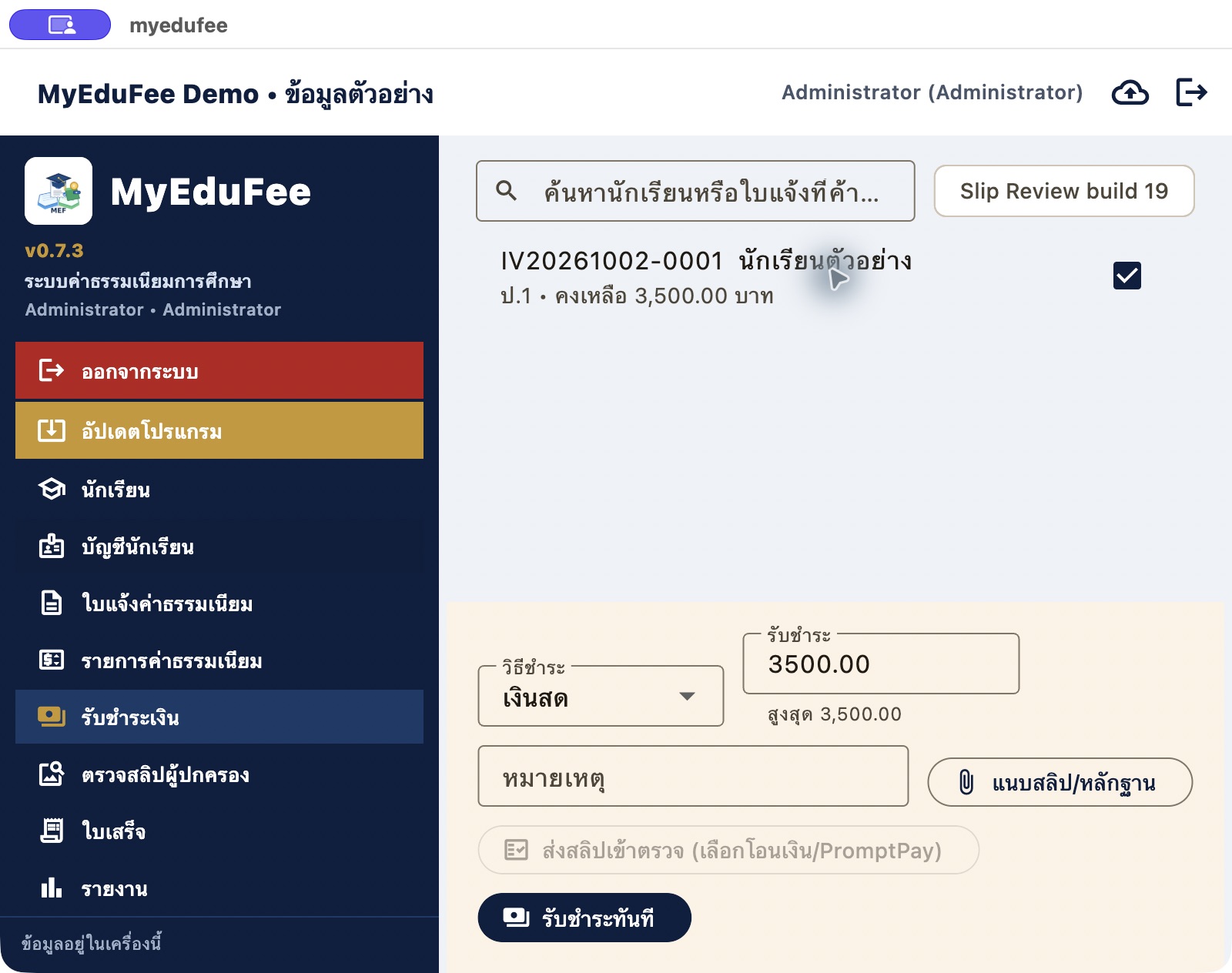
Select an invoice, review the maximum amount, choose a payment method and enter an amount and note, with evidence attachment and slip-review controls.
 View full image ↗
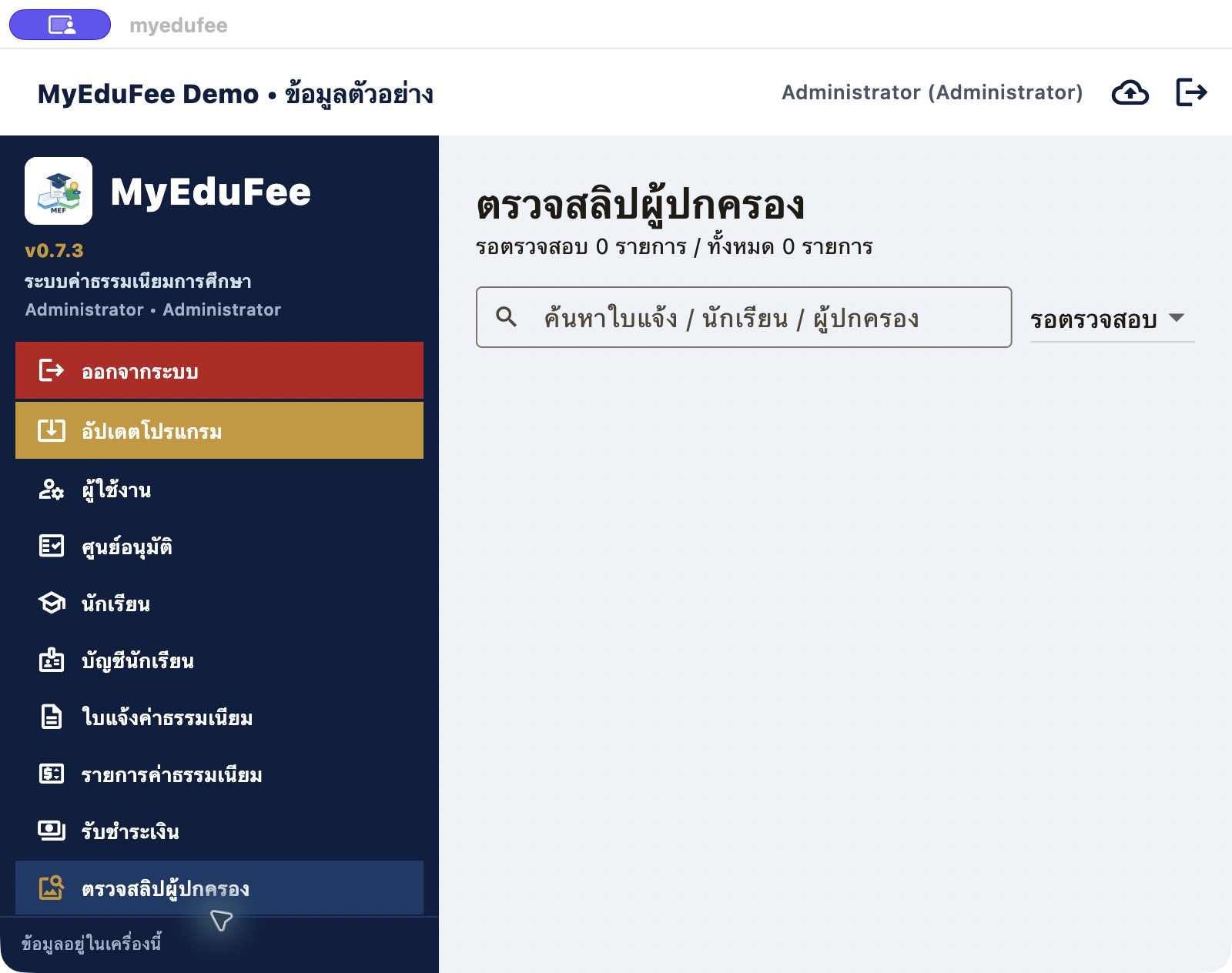
A dedicated transfer-evidence review area provides search and pending-review filtering. No parent slips are present in the demo data.
 View full image ↗
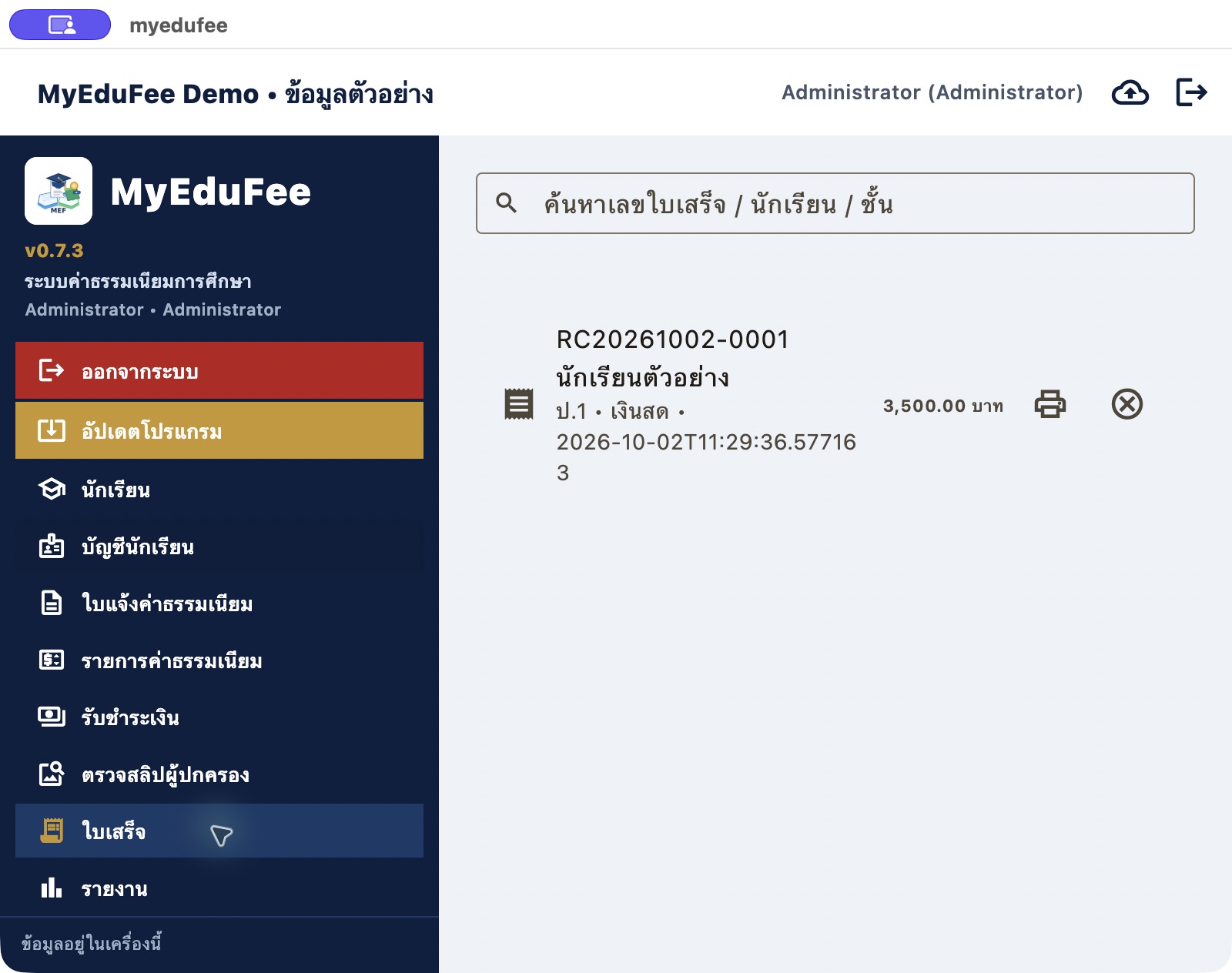
Recording payment creates a receipt number with student, method, timestamp and amount for subsequent search and document handling.
 View full image ↗
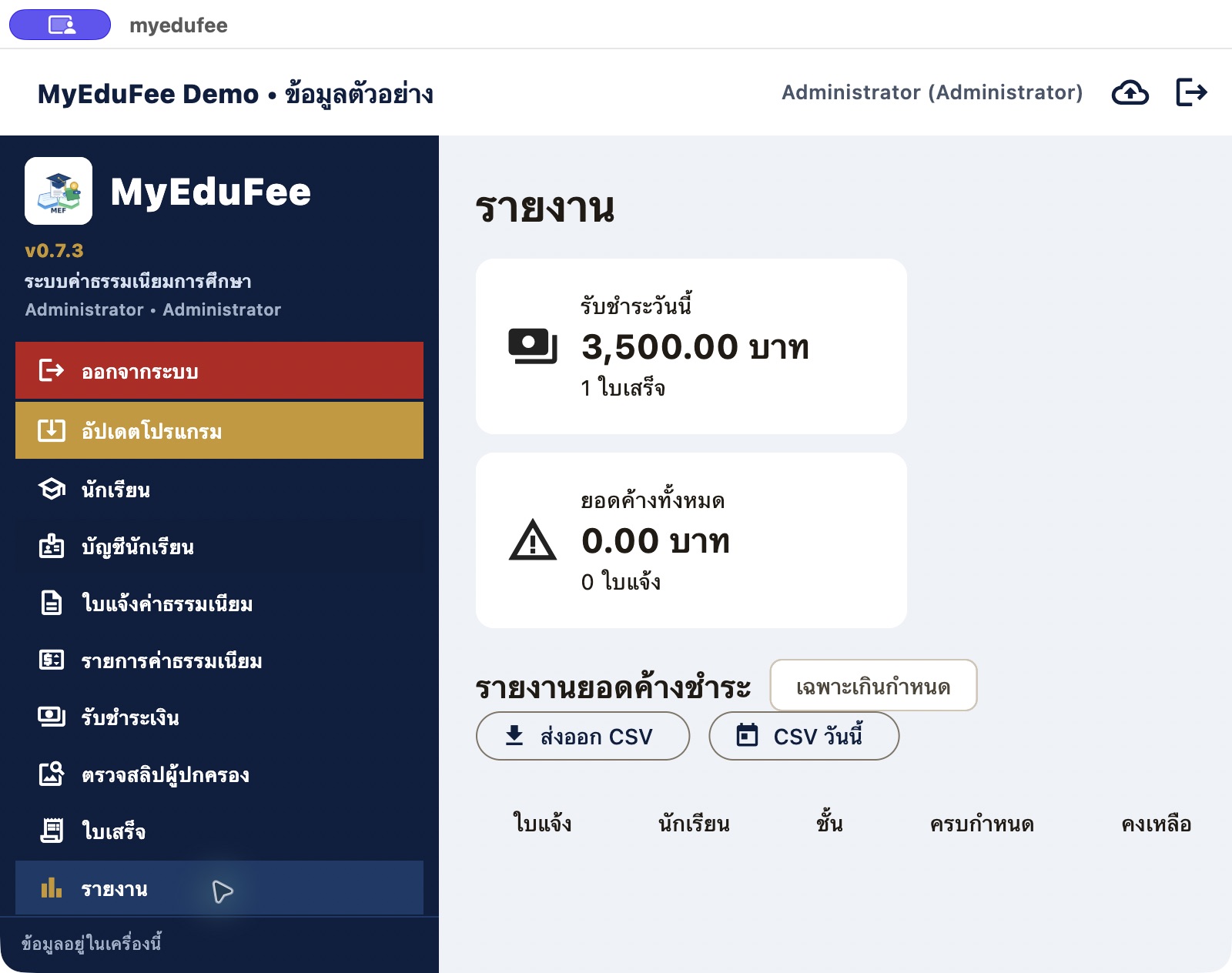
Review daily collections, receipt counts and outstanding reports, with CSV export tools for staff reporting.
Trace accounting entries from invoices and receipts, then review expenses and reconciliation.
 View full image ↗
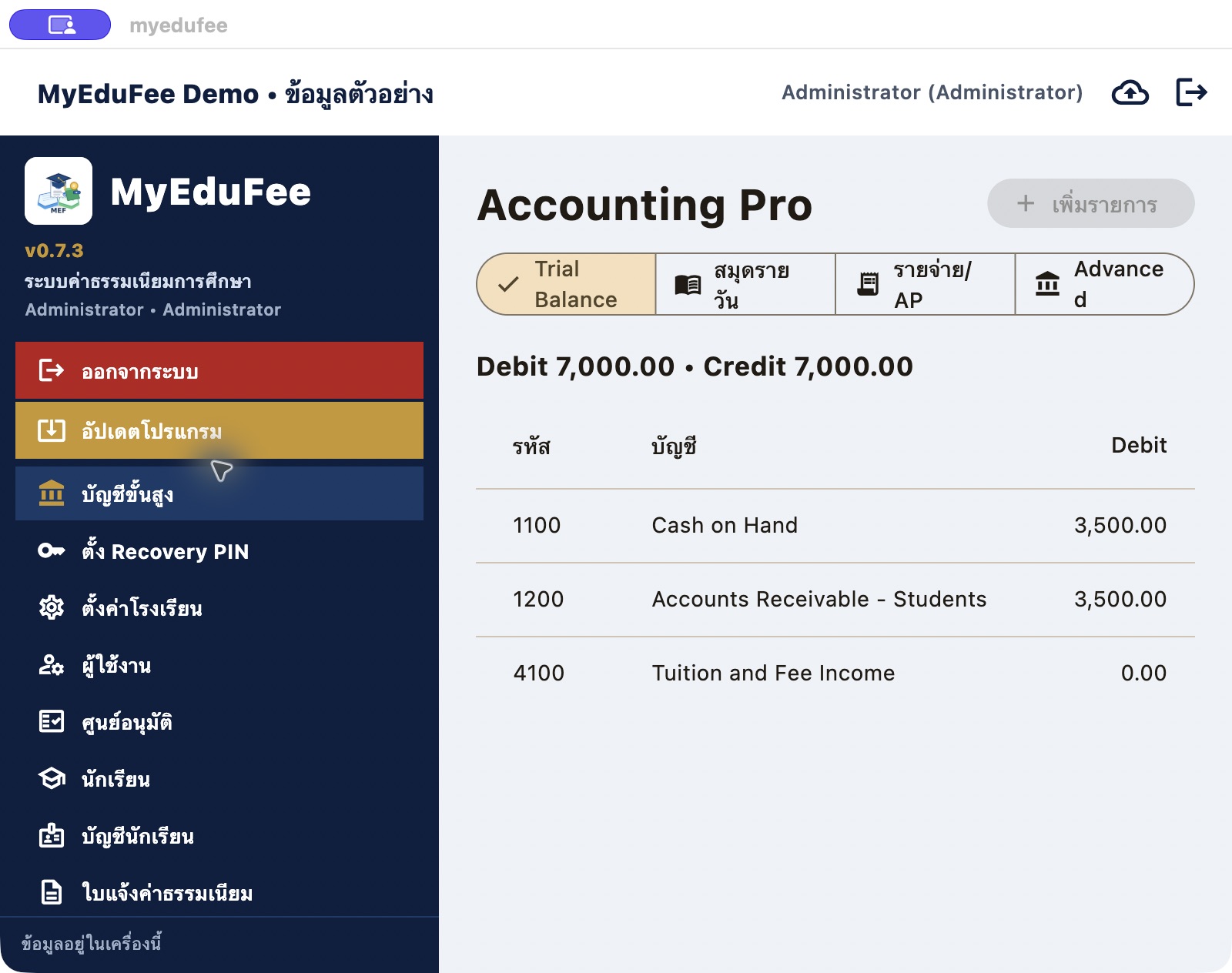
Demo entries for a 3,500-baht invoice and receipt appear under cash, student receivables and fee income, with equal total debits and credits of 7,000 baht.
 View full image ↗
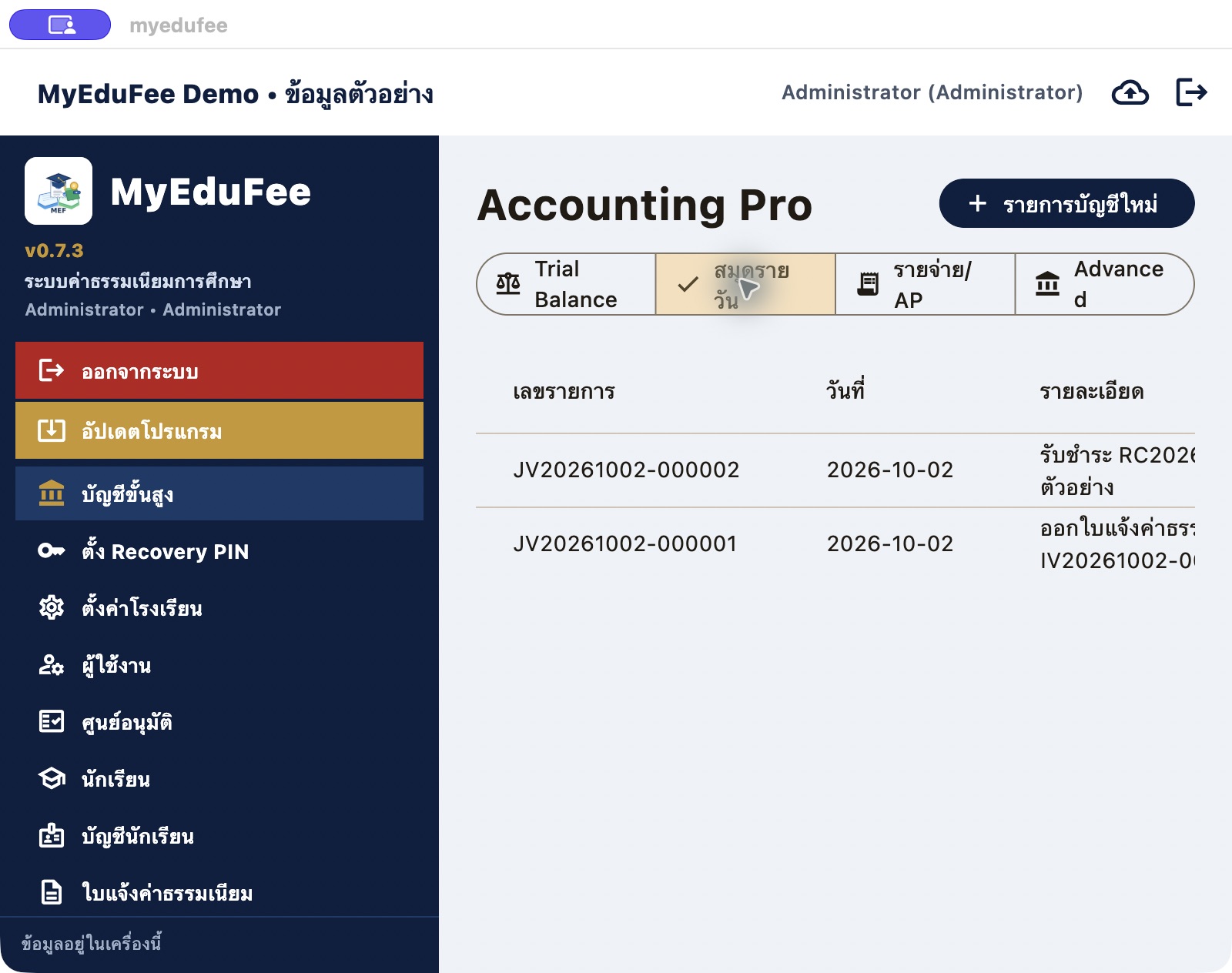
Review journal number, date, description, Maker/Checker, status and amount. Two entries were generated from the invoice and payment workflow in demo mode.
 View full image ↗
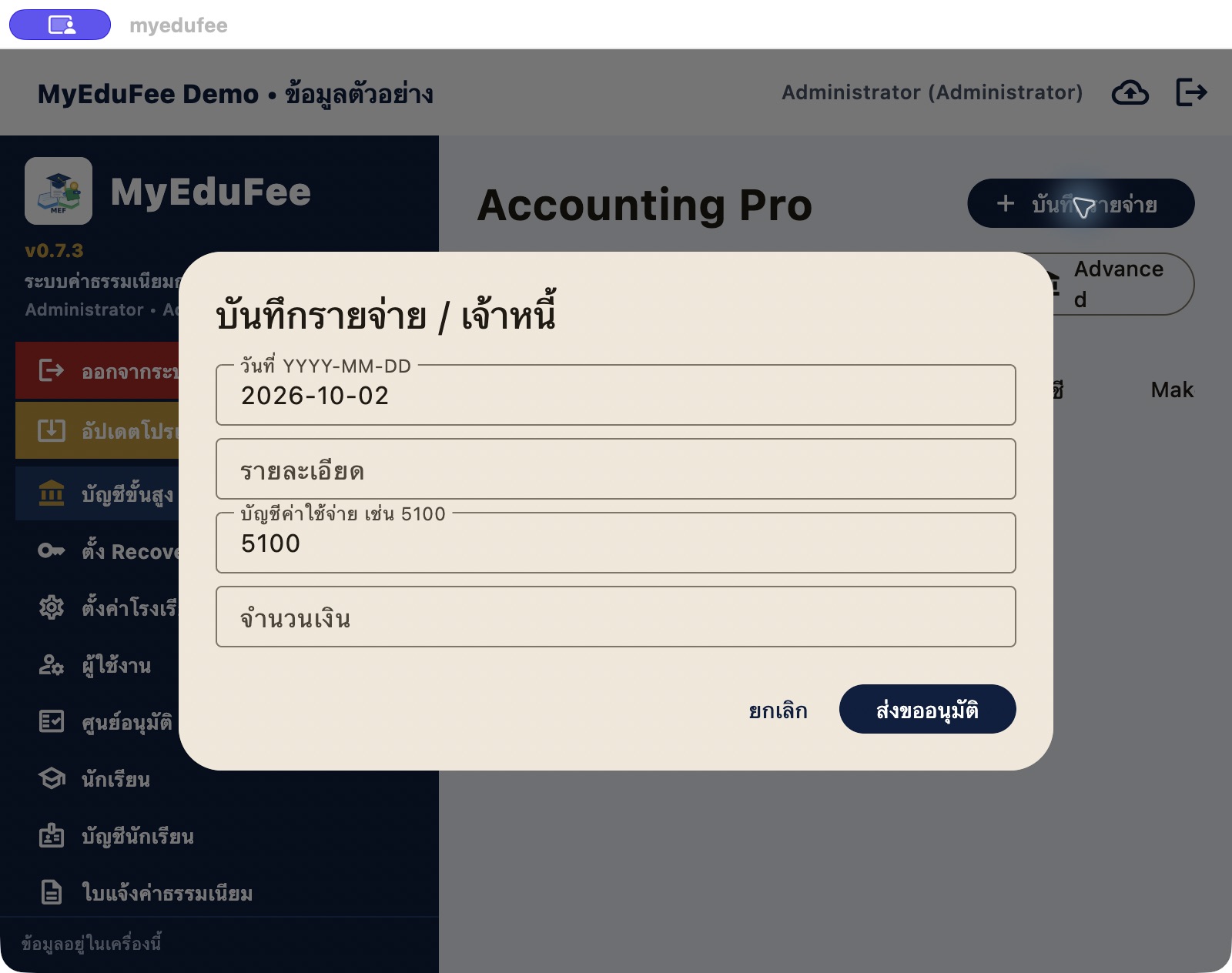
The expense/accounts-payable dialog provides entry fields, approval submission and cancel controls. The actual form is shown before saving or submitting an approval.
 View full image ↗
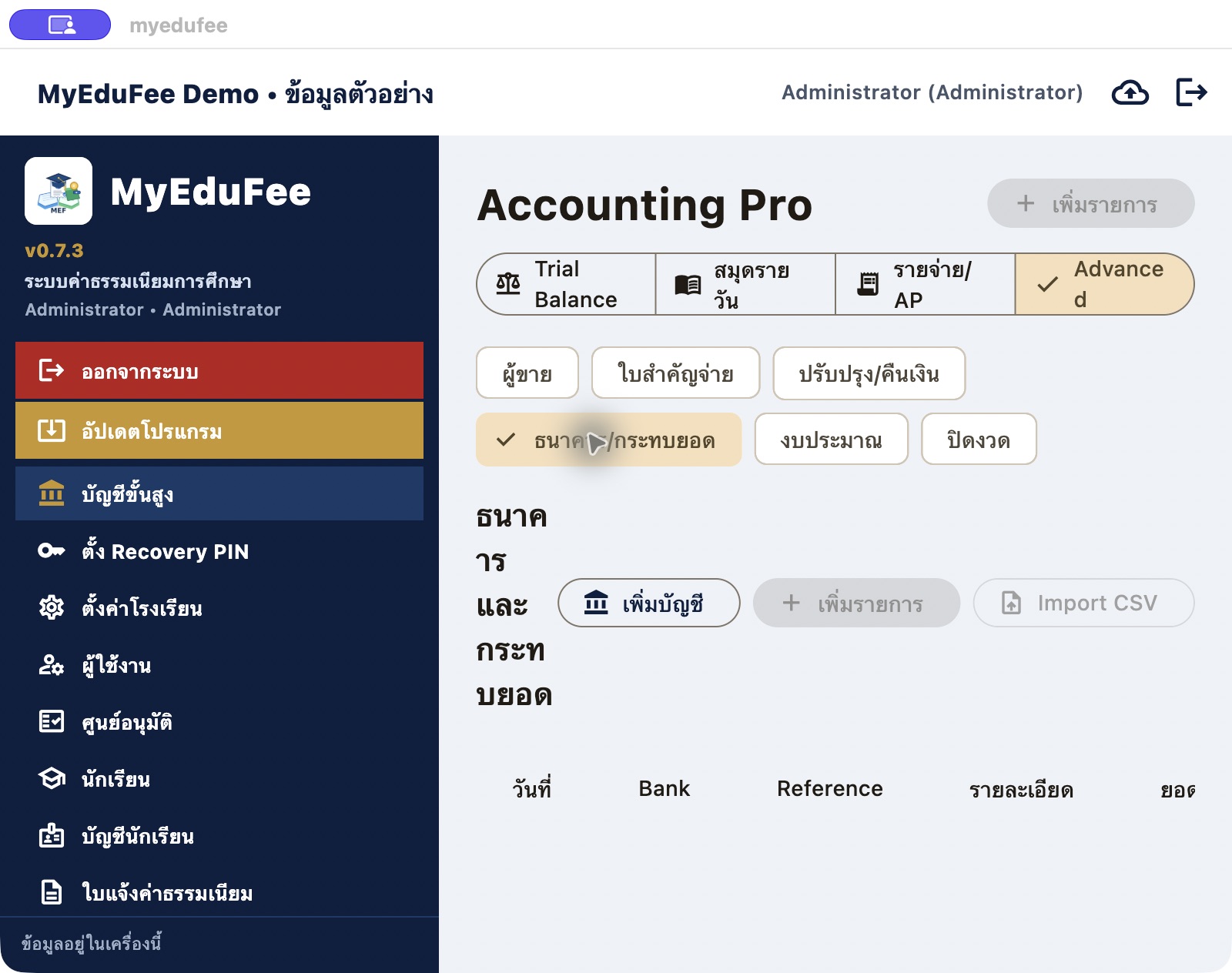
Advanced accounting separates journals, expenses/AP, vendors, vouchers, budgets and period closing, including a bank reconciliation workspace with CSV import.
Actual MyEduFee Build 25 demo-mode captures on Mac. Invoices and payment records were created only in the demo database; no money was transferred. These captures do not verify Mac PDF printing.
Discuss users, equipment, existing data and required processes to determine the appropriate edition and installation.